Images
Raster images render as ASCII art with 24-bit color, using glyph-matched character selection.
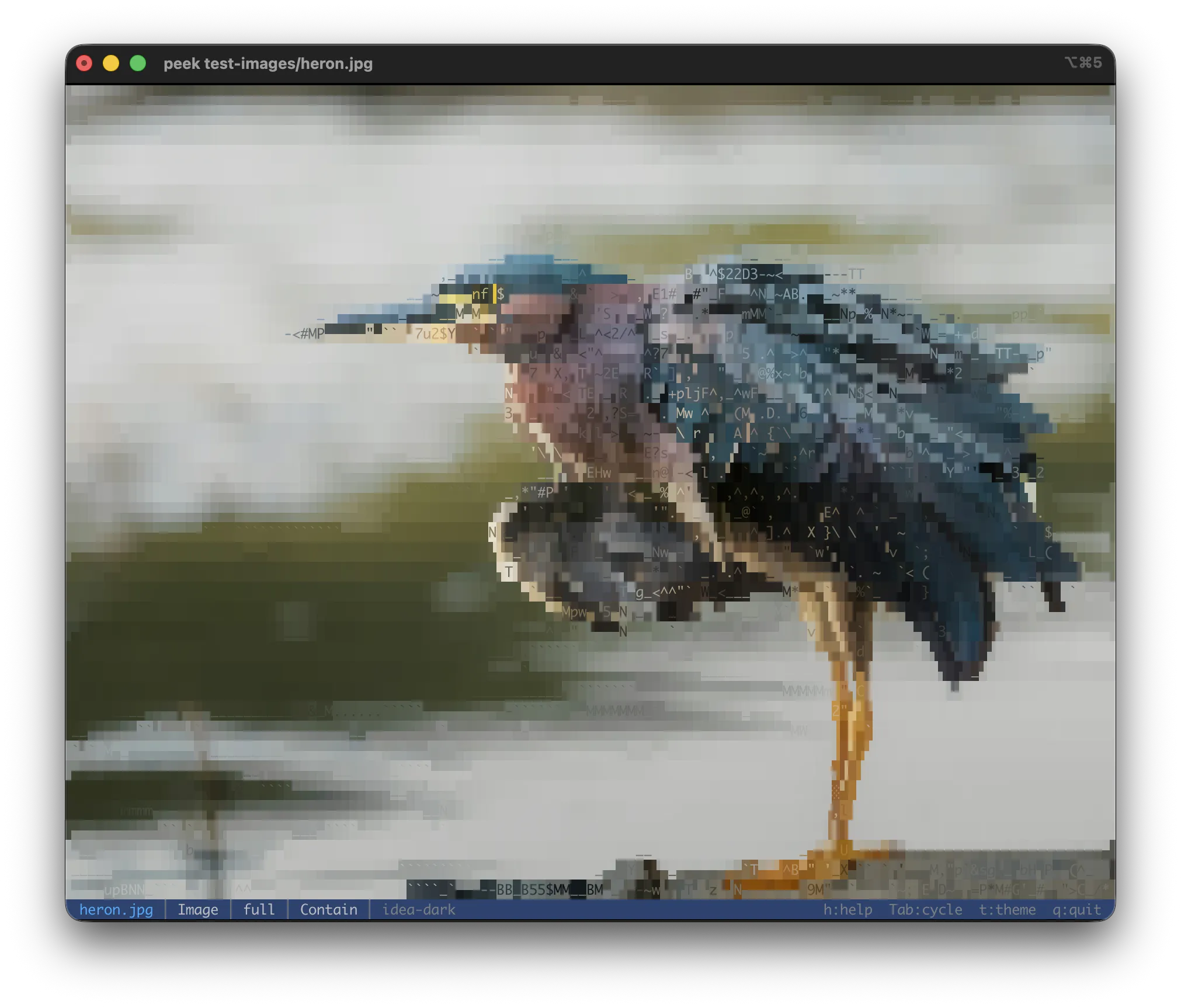
The default full mode: every terminal cell picks the glyph and foreground/background colors
that best match the pixels beneath it.
| Format | Extensions |
|---|---|
| PNG | .png |
| JPEG | .jpg, .jpeg |
| GIF | .gif |
| BMP | .bmp |
| WebP | .webp |
| TIFF | .tiff, .tif |
| ICO | .ico |
| AVIF | .avif |
| PNM | .pnm, .pbm, .pgm |
| TGA | .tga |
| OpenEXR | .exr |
| QOI | .qoi |
| DDS | .dds |
Decoded via the image crate.
Render modes
Cycle with m (or --image-mode <mode>):
| Mode | Description |
|---|---|
full | All glyphs (block, quadrant, extended) — default |
block | Block / quadrant elements + ASCII subset |
geo | Block / quadrant elements + line segments only |
ascii | Legacy luminance-based density ramp (for terminals without blocks) |
contour | Sobel edge detection rendered as line-art |
--edge-density tunes the contour line count.
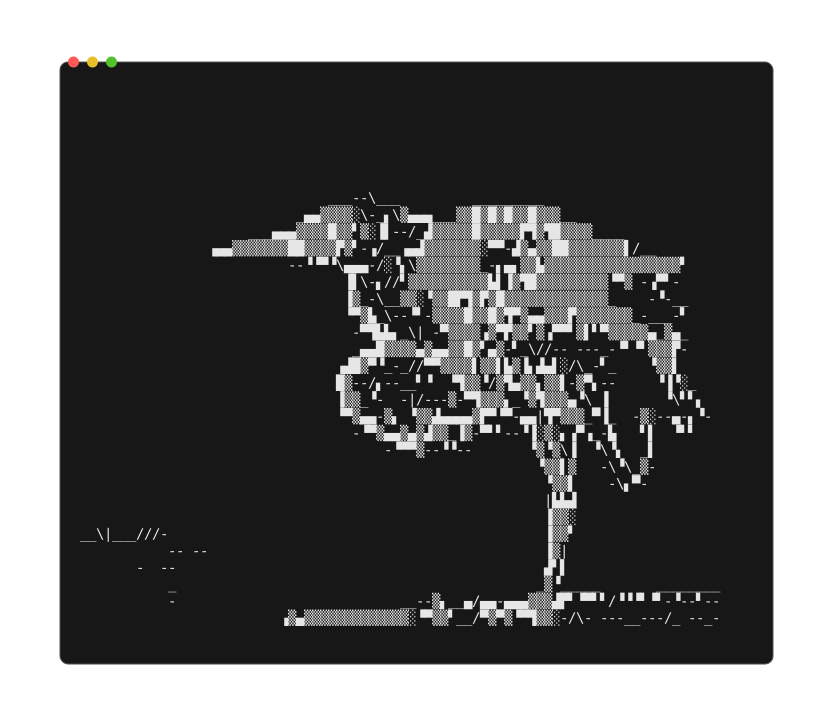
The same photo in contour mode — Sobel edge detection drawn as line-art instead of filled
color.
Backgrounds
Images with transparency need a compositing background before ASCII rendering. Without one, transparent regions default to black, making dark content invisible on dark terminals.
Cycle with b (or --background <mode>):
| Background | Description |
|---|---|
auto | Dark content → white bg, light content → black (default) |
black | Solid black |
white | Solid white |
checkerboard | 8×8 gray Photoshop-style pattern |
Fit modes
Cycle with f:
| Mode | Behavior |
|---|---|
Contain | Fit within both axes — whole image shown (default) |
FitWidth | Width fills the terminal; height grows freely → vertical scroll |
FitHeight | Height fills the terminal; width grows freely → horizontal scroll |
Pipe / --print output always uses Contain. The regular
scroll keys move the overflowing axis: vertical under
FitWidth, horizontal under FitHeight; top / bottom jumps go to top-left / bottom-right.
Zoom
See Zoom & pan for keys and behaviour.
Animated GIF / WebP
Auto-plays at native frame rate. Space toggles play/pause, n / p step frames, e
extracts the current frame as a PNG. Print mode renders the first frame. Frame stats appear in
the file info screen.
Info view
Dimensions, megapixels, color mode, bit depth, ICC profile, HDR detection (Ultra HDR gain map markers), animation stats, EXIF, XMP metadata.
EXIF fields surfaced: camera make/model, lens, orientation, resolution/DPI, exposure, aperture, ISO, focal length, flash, white balance, date taken, GPS, artist, copyright. XMP scraped from head bytes for Dublin Core / XMP fields (title, subject, description, creator, rights, rating, label).